Preview an email
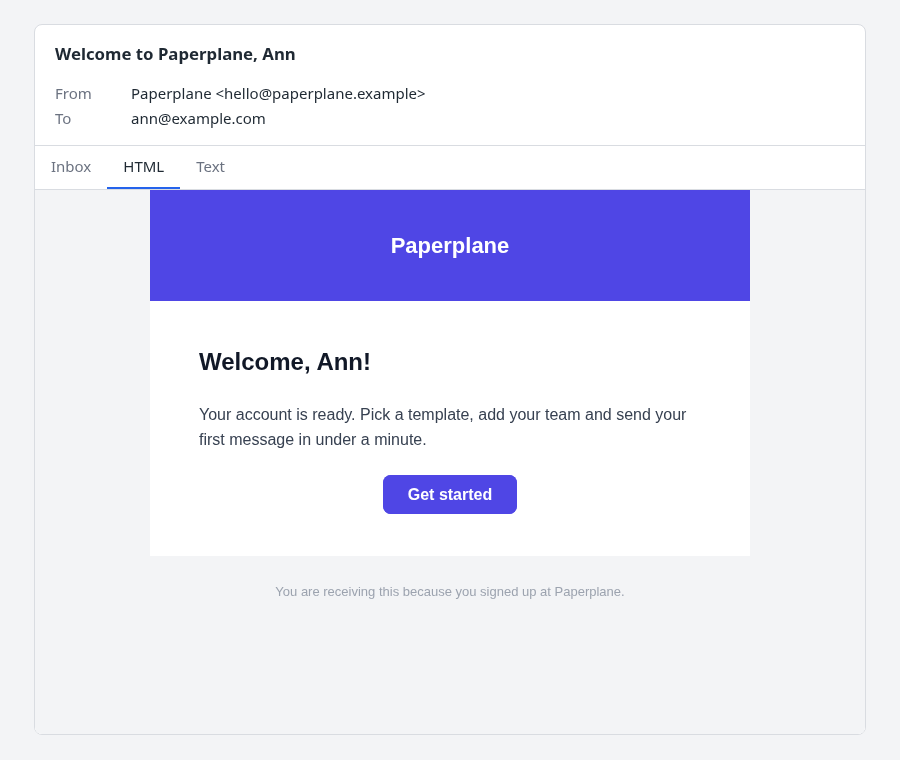
Show an email the way a person meets it: a row in an inbox, the HTML part, and the plain-text
part. It reads everything from the Django message you give it, so what you see is what .send()
would send.
Nothing is wired up for you: no URL, no setting, no INSTALLED_APPS entry. Your own view builds
the message, decides who may see it, and returns the response.
from django.contrib.admin.views.decorators import staff_member_required
from django.template.loader import get_template

from mjml_templates.preview import preview_response


@staff_member_required
def welcome_preview(request):
    message = get_template("email/welcome.mjml").render_email(
        {"user": request.user}, request, to=[request.user.email]
    )
    return preview_response(message)
It works for any Django EmailMessage or EmailMultiAlternatives, not only ones from this package.
What the page shows
- The envelope: the subject, From, To, Bcc and the attachments, above the tabs.
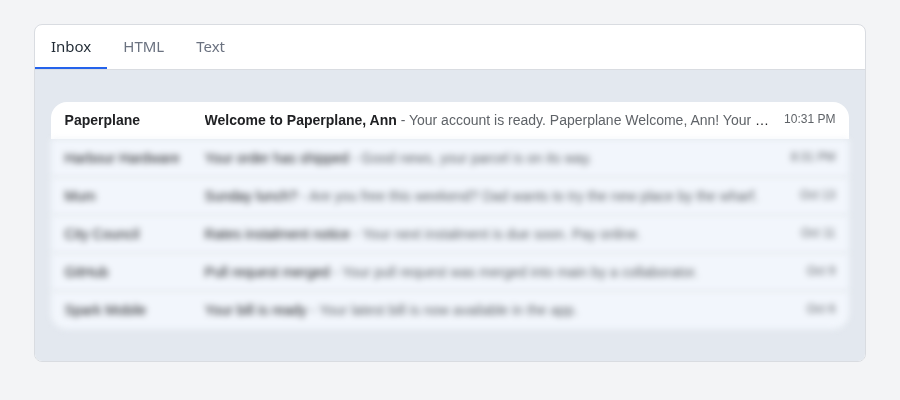
- Inbox: your message as the first row of a mock inbox (sender, subject, then the
<mj-preview>and the body's own words, as a mail client runs them together), with a few placeholder messages beneath it. - HTML: the HTML part in a sandboxed frame with scripts off.
- Text: the plain-text part.
The tabs are always in that order (Inbox, HTML, Text), minus any the message has nothing for.
Make the links live
Links are dead by default: a click does nothing and hovering shows where the link points. A preview should not be able to confirm an address or spend a one-time token.
links=True makes them live, opening in a new tab, and linkifies URLs in the text part. This
loosens the frame's sandbox to allow popups (scripts stay off). Only the displayed copy is
changed, never the message.
Link the attachments
An attachment shows as a chip with its name, type (on hover) and size. The file's content is not in the page. To link a chip, say where the file lives:
preview_response(message, attachment_urls={"invoice.pdf": reverse("invoice_pdf", args=[invoice.pk])})
Only /, http:// and https:// URLs are linked. The chips are plain text in the Inbox row.
Embed it in your own page
preview_fragment(message, **options) returns a SafeString of markup you drop into a template:
from mjml_templates.preview import preview_fragment

def template_editor(request, pk):
    message = ...
    return render(request, "editor.html", {"preview": preview_fragment(message, tab="html")})
It is a single <div class="mjml-preview"> with its own <style> scoped under that class, and
class names are prefixed mp-, so it won't restyle your page. Ids and the tab radio group carry a
per-call suffix, so several previews can share a page. The fragment has no <html> or <head>;
the email itself stays in a sandboxed srcdoc frame.
The fragment follows your page's custom properties (below): set --mjml-* on any ancestor, or
leave them and it uses its own defaults. It does not set a page background; --mjml-bg only
applies to preview_response's page.
Options, tabs, and the inbox rows are in the preview reference; colours, fonts and markup are in Customise the preview.